QR code print size: count modules before millimeters
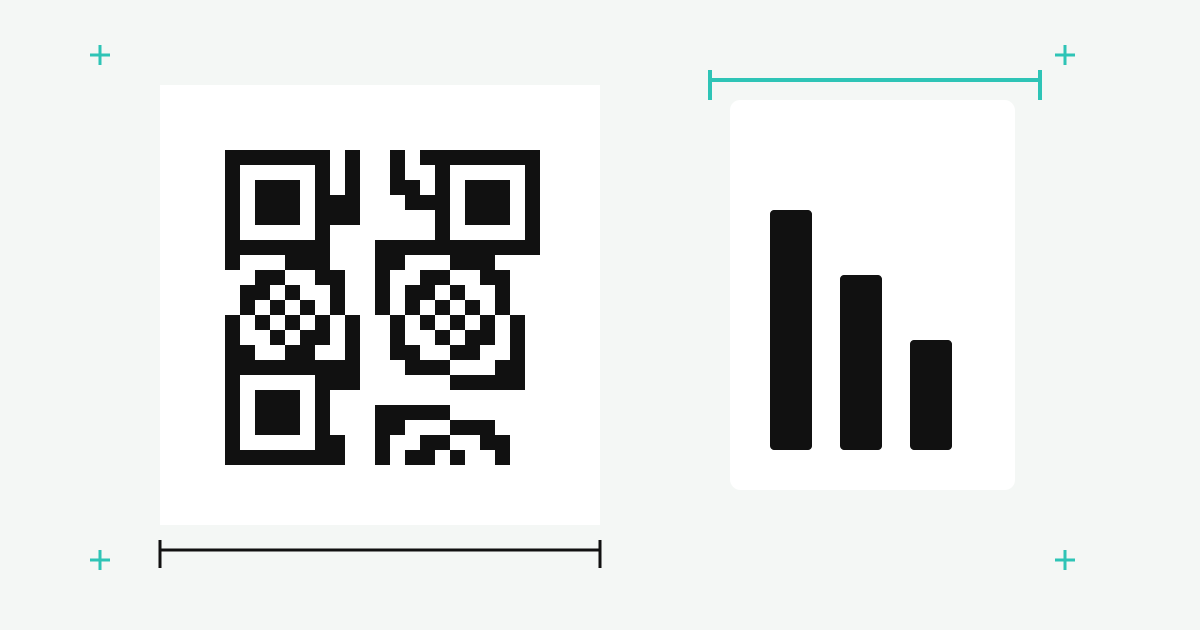
QR code print size depends on module geometry, not just the pixel count: a 2,048-pixel image can still be printed badly. Pixels describe a raster file; millimeters describe the physical symbol; modules connect the two. I size a QR code by counting its grid and clear border, then inspecting the resulting module width at the intended print size. That process is more useful than a universal minimum-size promise.
What determines QR code print size?
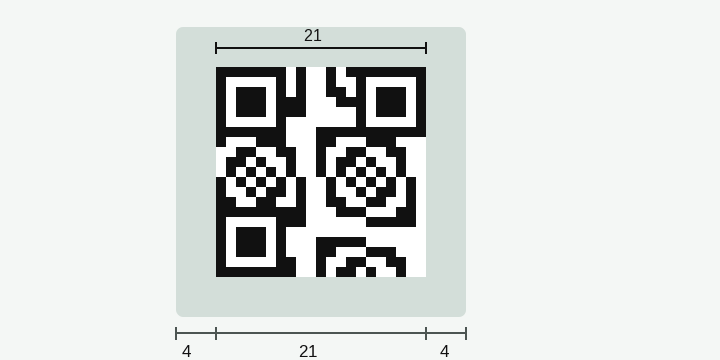
A version-one QR symbol has 21 modules along each side. Four quiet-zone modules on the left and four on the right make the complete side 29 modules wide. A version-two grid is 25 wide, so its complete side is 33. The version is a property of the encoded content and correction level; it is not a quality rating. More content or stronger correction can require a larger grid. The QR code details panel in the QR code generator reports the chosen version and grid instead of making you count squares by eye.
The border must remain clear after the code is placed into a design. If you add a colored panel around it, retain the four-module light field inside that panel. If you crop an image to its dark square, you have removed part of the intended geometry even though the data modules remain. I inspect the exported image after every placement or crop operation because a design program can change the asset in ways that are not visible at a small zoom.
Why do whole-pixel modules keep PNG exports sharp?
For a target maximum of 512 px and a complete side of 29 modules, the integer pitch is floor(512 / 29) = 17 px per module. The resulting side is 29 × 17 = 493 px. The margin on each side is 4 × 17 = 68 px. The remaining 19 pixels of the requested maximum are deliberately unused. Stretching that 493 px image to exactly 512 px creates a fractional pitch, so the original export geometry is preferable when you can preserve it.
For a 25-module grid, the complete side is 33 modules. At the same maximum, floor(512 / 33) = 15 and the image becomes 495 px with a 60 px margin. For a 29-module grid, 37 × floor(512 / 37) = 37 × 13 = 481 px, with a 52 px margin. The export size selector therefore sets a ceiling. The actual side and pitch are shown before download, allowing you to put those numbers into a layout or production note.
| Grid modules | Total modules | Pixels per module | File side | Margin |
|---|---|---|---|---|
| 21 | 29 | 17 | 493 px | 68 px |
| 25 | 33 | 15 | 495 px | 60 px |
| 29 | 37 | 13 | 481 px | 52 px |
How wide is each module at the final print size?
If a complete 29-module symbol is printed 30 mm wide, each module is 30 / 29 ≈ 1.034 mm. Its four-module border is about 4.138 mm on each side. A complete 33-module symbol at 30 mm gives 30 / 33 ≈ 0.909 mm per module, with a border about 3.636 mm wide. These calculations describe geometry, not a promise that either size will scan at a particular distance. The camera and presentation still matter.
Print resolution gives another useful check. At 300 dots per inch, a 30 mm side corresponds to 300 × 30 / 25.4 ≈ 354.331 printer dots. A print pipeline may resample a PNG to fit that physical size. The SVG can keep module boundaries as vectors until the printer’s raster stage, but the output device ultimately has its own dot grid. I examine the final proof for softened edges, filled gaps and uneven background coverage instead of assuming that a vector input prevents all printing defects.
| Complete side | Printed width | Module width | Quiet zone per side |
|---|---|---|---|
| 29 modules | 30 mm | ≈ 1.034 mm | ≈ 4.138 mm |
| 33 modules | 30 mm | ≈ 0.909 mm | ≈ 3.636 mm |
| 37 modules | 30 mm | ≈ 0.811 mm | ≈ 3.243 mm |
Can a shorter link make a QR code easier to print?
Longer content can increase the number of modules. At a fixed physical size that means smaller modules and less separation between features. Before raising image resolution, consider whether the content itself can be shorter without changing its meaning. Remove unneeded URL parameters only when you understand their purpose, and use a stable destination you control. The generator does not create a tracked short link or fetch your page to decide which parameters are safe to remove.
Correction level also affects capacity. H supplies more redundancy than M, but its larger grid may be harder to resolve at the same print size. A logo selects H in this tool and covers a small central region. That is a deliberate trade-off, not an instruction to make the code smaller. If a plain M code scans well and the logo version does not, first remove the logo and inspect the physical proof. More decoration is rarely the first repair I try.
How do I test a QR code before printing?
I test the asset that will actually be distributed. Testing the original preview does not test a rasterized PDF, a cropped layout, a glossy label or a distant sign. The following routine turns a promising image into a checked production choice without inventing a universal scanning distance.
- Read the encoded content and confirm the destination or intended action.
- Place the complete code with its border intact and export the final layout.
- Print at the intended physical size on a representative surface.
- Scan with representative devices, lighting, angles and viewing distances.
- Check the offered destination or imported details, not just whether the camera detects a symbol.
- If scanning is unreliable, try a plain dark-on-light code, remove the logo or enlarge the complete symbol.
Keep a small production record containing the content, correction level, module count, physical side and export settings. That makes a later reprint reproducible. The DENSO WAVE area guidance is the source for the four-module quiet zone. Its error-correction explanation concerns codewords, not a blanket allowance for obscuring the visible area. For codes that carry network credentials, the Wi-Fi guide explains the separate issue of exposing a password.
FAQ
Is 30 mm a guaranteed scanning size?
No. The 30 mm calculations are geometry examples, not a universal minimum or scanning guarantee.
Should I stretch a PNG to the selected maximum?
The tool deliberately uses whole-pixel modules. Preserve its reported dimensions or inspect resampling in the final layout.
Why can H make a code denser?
Stronger correction reserves more capacity for redundancy, so the same content may require more modules.